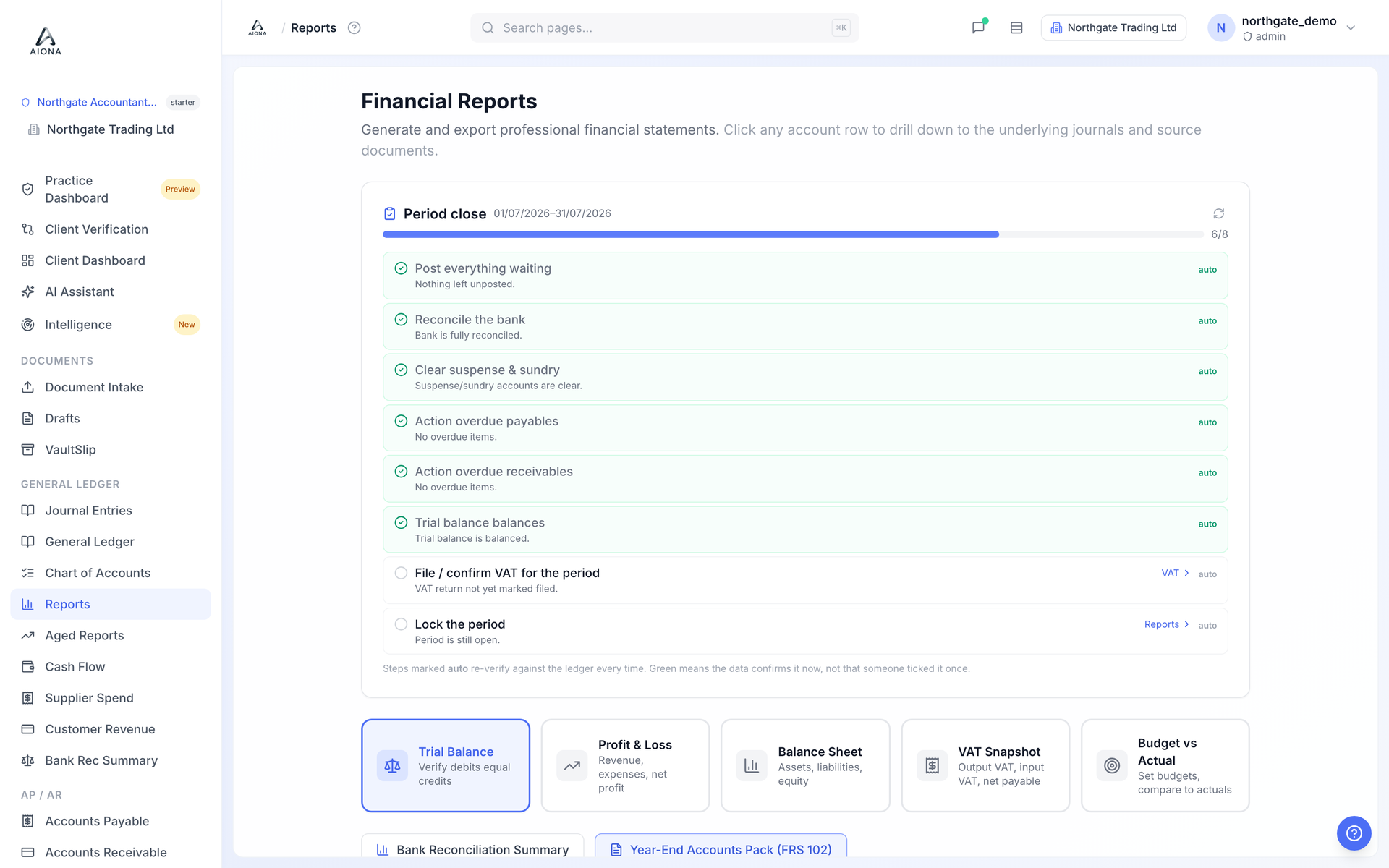
Work through the pre-close checks and lock the month.
The live product on a demonstration book.
Open Reports. The Period close card at the top lists the steps for the current period: everything posted, reconciliation, suspense cleared, payables and receivables agreed, trial balance in balance, and so on.
Each step is re-checked against the ledger every time you look. Green means the data confirms it now; it is not a box someone ticked last week.
Click into any amber or red step to see exactly what is outstanding, fix it, and come back.
When every step is green, close the period. Closed periods reject new postings; if you genuinely need to reopen one, an admin can, and the reopen is recorded in the audit log.