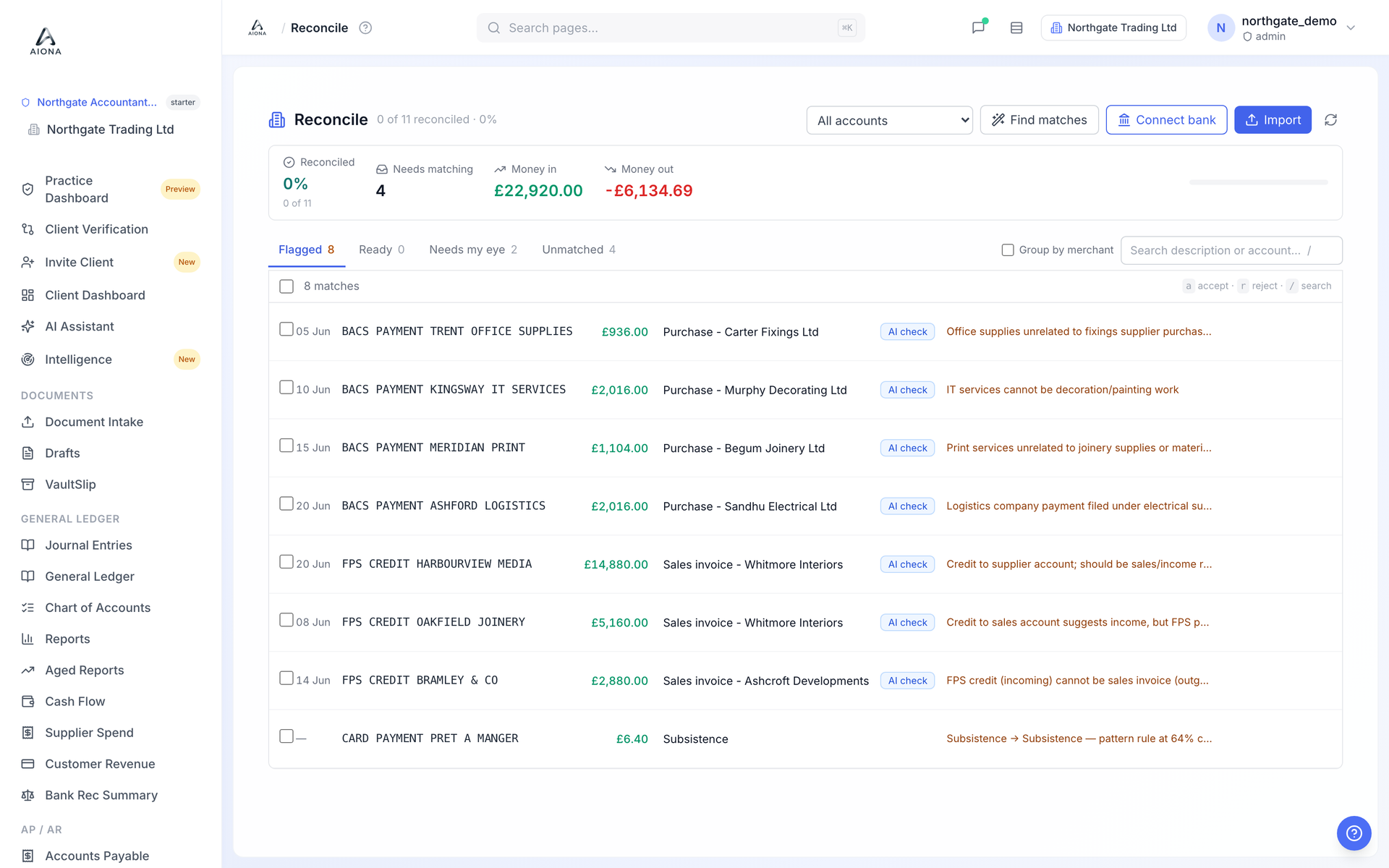
- Open Reconcile and click Import.
- Choose the statement file. CSV, OFX, QIF and PDF statements are supported. For CSV, AIONA detects the date, description and amount columns itself; a single signed amount column or separate credit and debit columns both work.
- Give the bank account a name the first time (Main Bank Account is the default). AIONA links it to the Cash at Bank ledger account.
- After import, click Find matches. AIONA proposes a match for each statement line it can pair with a posted journal, and writes the reason on the line: exact amount, days apart, source type.
- Anything that looks wrong is put in Flagged rather than matched: a counterparty that does not fit the journal, money in matched to a bill, and so on. Nothing is reconciled until you accept it.
Duplicate lines are skipped on re-import, so importing the same statement twice does not double up transactions.