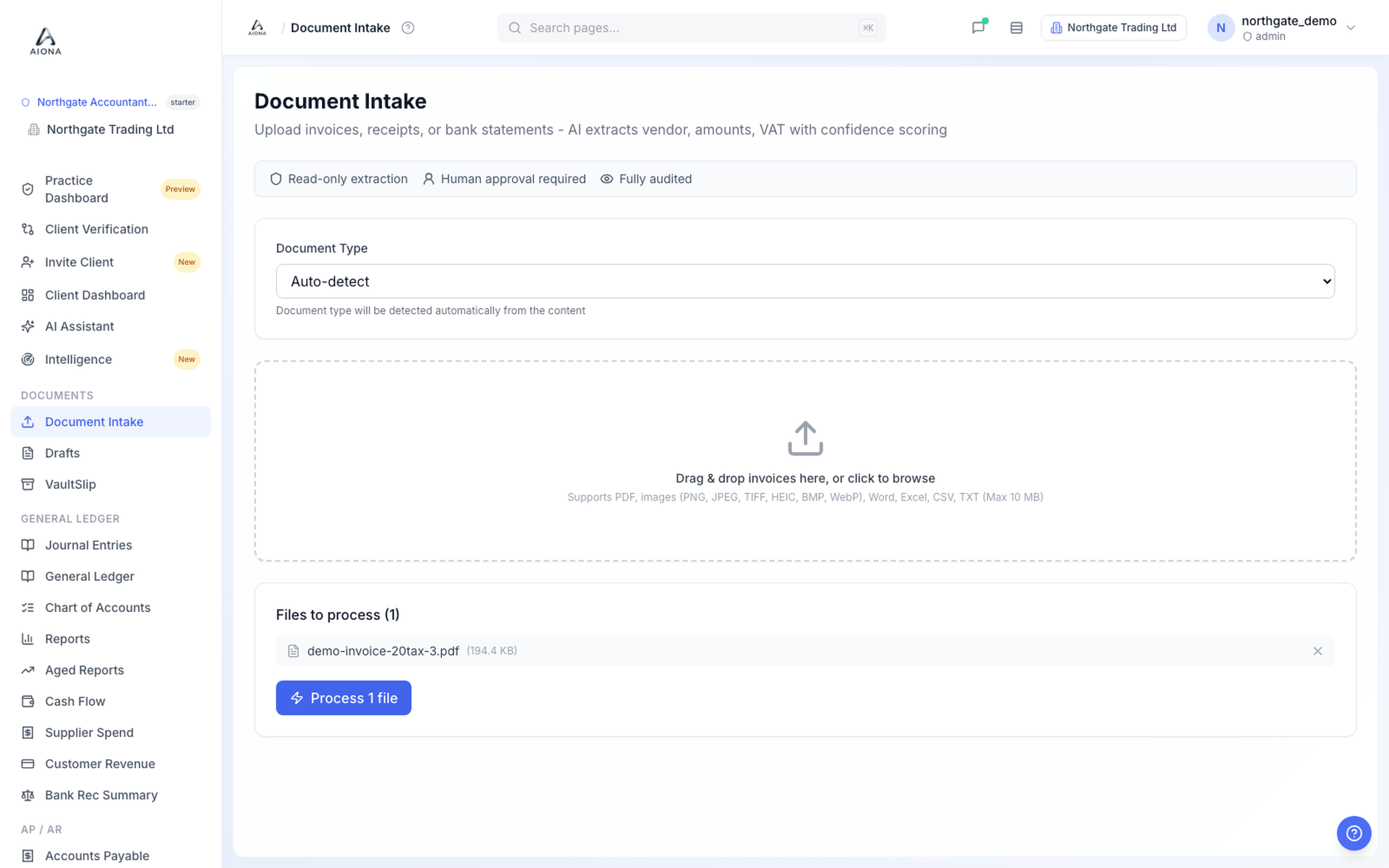
- Open the client company, then Document Intake in the left menu.
- Leave Document Type on Auto-detect unless you already know what the file is.
- Drag the file onto the drop zone or click to browse. PDF, phone photos, images and spreadsheets are all accepted; the limit is 10 MB per file.
- The file appears under Files to process. Click Process.
- Within a few seconds the file shows as complete and a draft appears under Drafts with its confidence tier.
Forwarding documents by email is rolling out. Once it reaches your practice, each client book has its own documents address, shown on the client's Invite page, and anything sent there lands in the same queue.
If a document is not a bill (a bank statement, say), AIONA routes it away from coding. Statements go to Reconcile.